
Donations - important and appreciated, always tricky to report on
Most community events collect money in three or four ways at once. A parent hands over $20 in cash. Someone else buys a tote bag, with all proceeds going to support the organization. A third person buys a handful of raffle tickets for a big prize. A fourth writes a $500 cheque and then asks for a tax receipt.
Described that way, it all looks clearcut: every stream is clearly different. But what an organization like a family centre is left with at the end of a busy field event is a stack of cash, paper notes, fewer tote bags, and a batch of card payments from the terminal.
Just like with sign-ins for parent drop-in programs, the real work only starts now. Reconciling who donated how much is a data-entry problem and a reporting challenge, and it usually lands on the desk of the staff member who handles finance, on top of tasks that feel more urgent than cleaning up records for money already received.
The fix is not a better spreadsheet afterward. Spreadsheets are already pretty great. It is better data capture in the moment, and automating the busywork with technology. Here we share how OpenCommunity captured the donation, the donor, and the reason for the money at the moment it changed hands.
PS: also read our guide to accepting donations at a community event for more on the policy side.
A party in the park: sunshine, children, and no paperwork in sight
On Saturday, August 29, Mount Pleasant Family Centre ran Party in the Park, an outdoor community event for the families and children it serves. Three streams of proceeds ran through their OpenCommunity tablets that afternoon: donations, merchandise sales, and raffle ticket purchases.
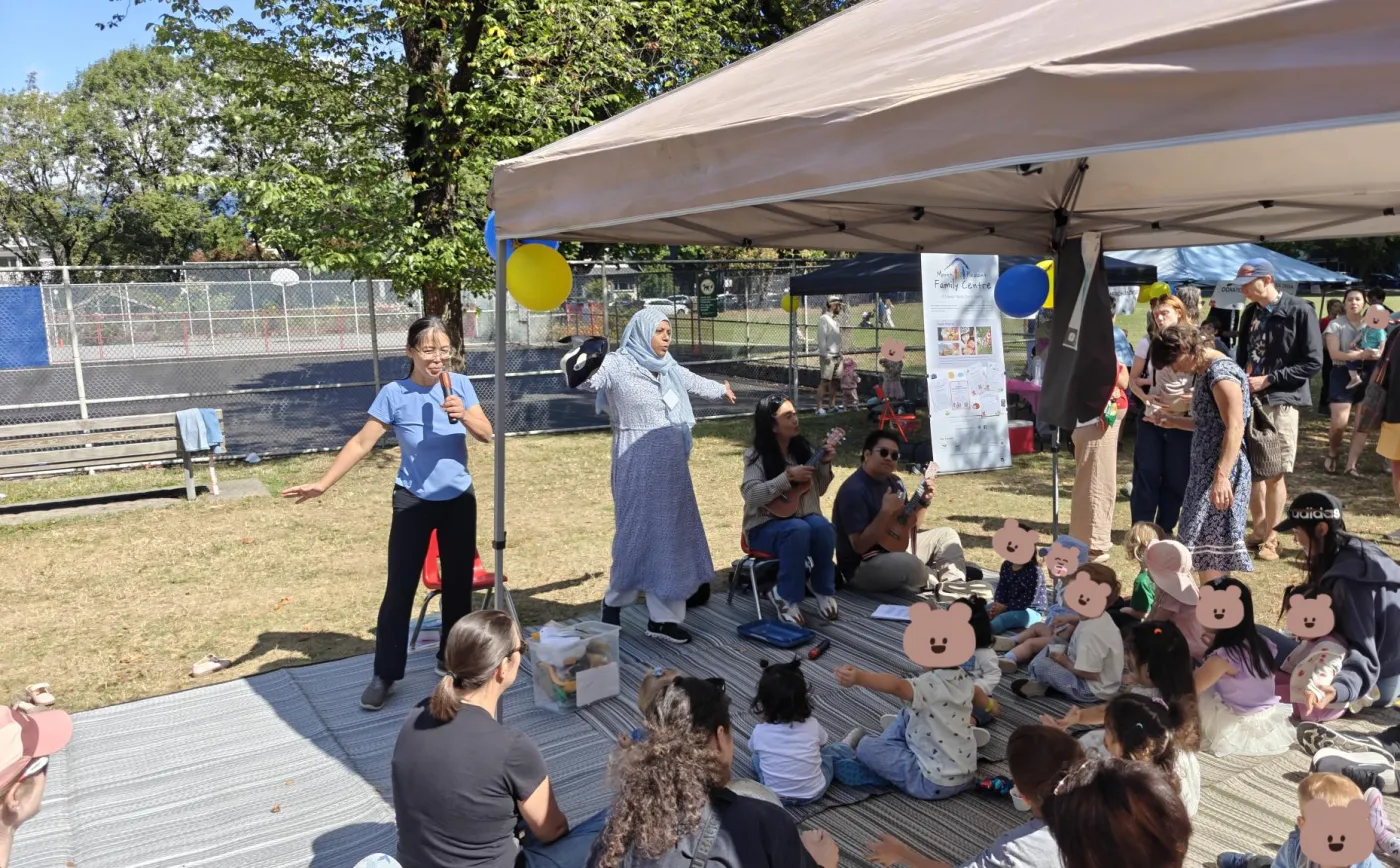
Party in the Park: the singalong under the Mount Pleasant Family Centre tent.
There was no printed membership list and no paper donation form. All it took was a parent tapping their card and choosing whether the payment was a donation, a purchase, or raffle tickets. If the parent was already in the OpenCommunity system, the donation was attached to their existing family record, ready for a thank-you or a follow-up later.
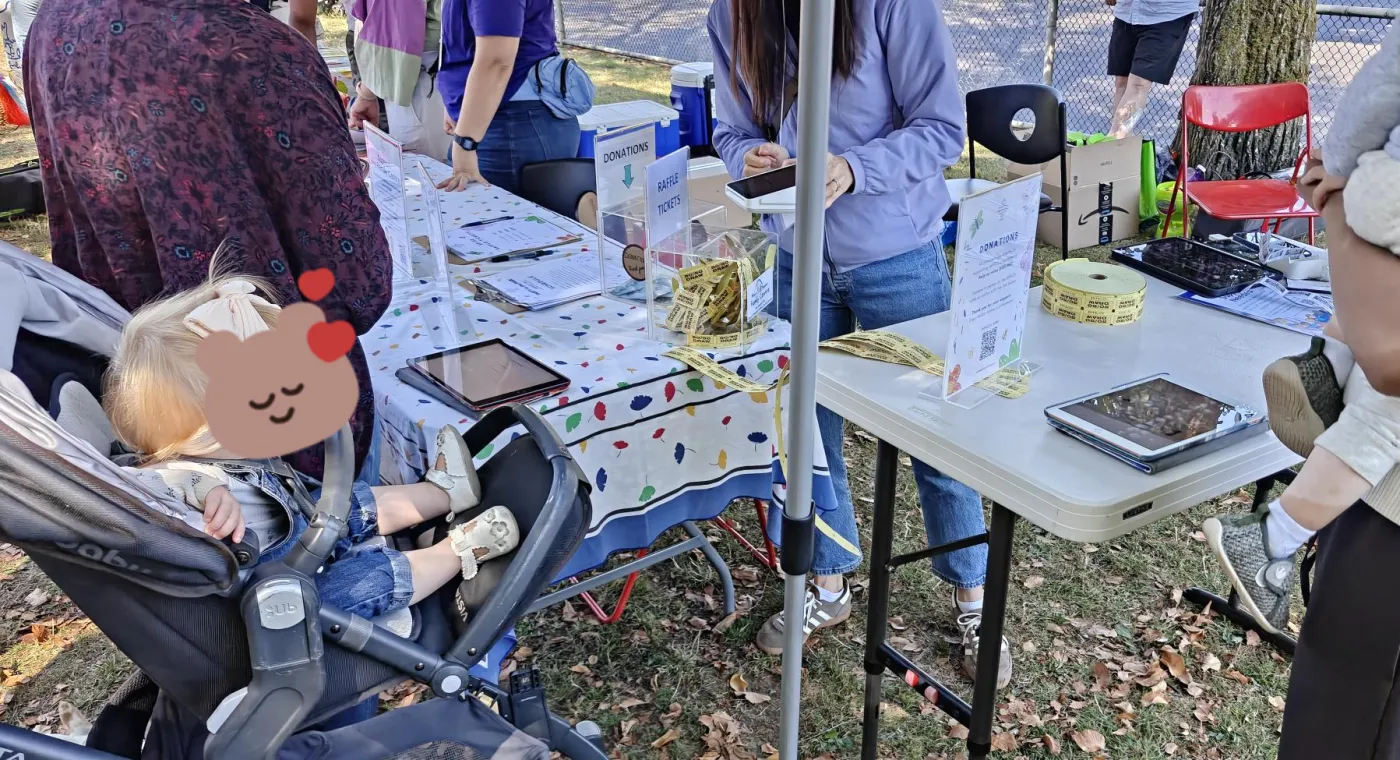
Donations, merchandise, and raffle tickets were all taken at the table on OpenCommunity tablets.
The point was not to modernize how payments are taken. Credit card terminals are nothing new to Mount Pleasant Family Centre. What was new is that every payment is connected to one central platform the moment it is processed, letting staff focus entirely on staying connected with the families who give and buy, instead of tracking everything by hand for reporting. It mirrors the centre's wider move away from disconnected tools, covered in the Mount Pleasant Family Centre customer story.
Tip: Outdoor events can be tricky with WiFi-connected payment terminals like Square. Make sure the WiFi connection is stable, the devices are fully charged, and you have a spare device or a battery pack on hand for when one runs low, which can happen faster than usual in the hot sun.
Three kinds of proceeds can be surprisingly hard to process
This is the part that most often gets muddled at events, and it is worth getting right before the event starts. Money coming across the table falls into different categories, and only one of them is a gift.
Donations. A voluntary transfer of money with nothing of value going back to the donor. This is the only stream that produces an official donation receipt, and only if your organization is a registered charity or other qualified donee.
Merchandise sales. Someone buying a tote bag or a plant is making a purchase, not a gift. If you sell an item well above its value as a deliberate fundraiser, part of the amount may be receiptable under the split receipting rules, which is a decision to make in advance, not at the table.
Raffle tickets. The Canada Revenue Agency's position is that a raffle ticket purchase is not a gift, because the buyer receives a chance to win. Raffles are also licensed activities in most provinces, with their own rules about ticket wording, draw records, and how proceeds are used.
Recording those as three separate categories at the point of payment is what makes the rest easy. The donation total that feeds your receipting is already clean, the merchandise revenue is already separated for your books, and the raffle proceeds are already isolated if your licence requires you to report on them. If you want the underlying rules in more detail, see donation receipts for community organizations and split receipting.
Note: This article is general information only and is not legal, financial, or professional advice. For questions about your organization's obligations, consult a qualified professional or the relevant government resource (for example, the CRA for registered charity matters, or your provincial or territorial registry for nonprofit governance).
Issue receipts right away, before the donor leaves the booth
The traditional sequence was to collect the donation and treat the tax receipt as an admin burden for later: someone has to match amounts to names, chase the names that are missing, confirm addresses, and generate the receipts by hand.
At Party in the Park, the receipt was issued at the moment of the donation. The event mostly drew regular visitors, so most donors already existed as a record in the system, and if not, they were created in the same step. That let the name, amount, date, and receipt number all be present at once, and the receipt went out by email immediately.
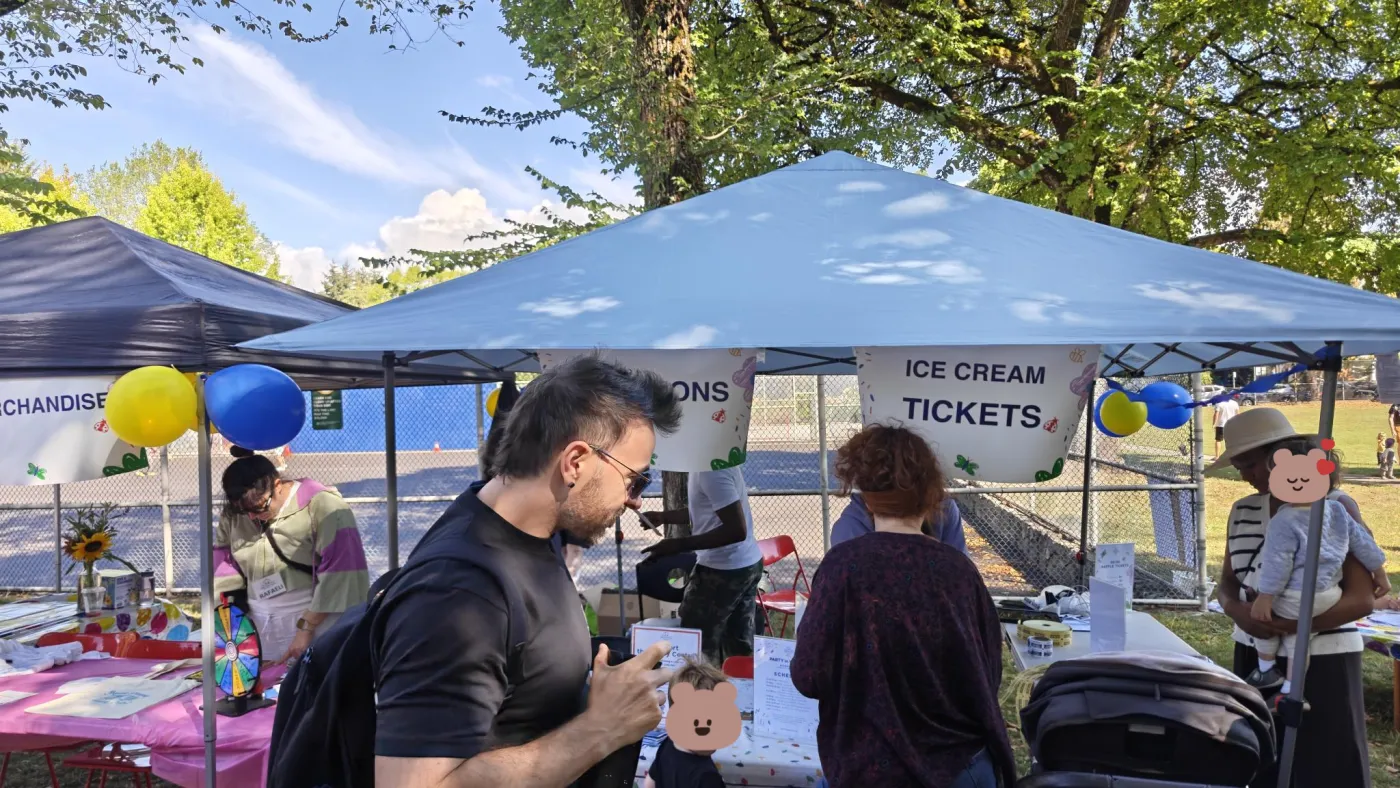
The merchandise and ice cream ticket booths at Party in the Park.
Two things make that possible rather than risky.
An official receipt has a fixed set of required elements, and a system that issues them has to produce all of them every time, including the sequential receipt number.
The donor identity is already attached, because the donation is recorded against the person who paid.
For cash payments, the donor enters their phone number to identify their OpenCommunity account. Anonymous gifts can be accepted, but not receipted, since a receipt has to name the donor.
What Monday morning looks like
The real test of an event's donation collection is the day after, when the energy has faded and the accounting would normally begin.
With everything captured at the table, the post-event list is short: confirm the totals, review anything flagged as incomplete, and file it. There is no transcription and no trying to remember donors who slipped through the cracks. The per-person reporting is already there:
How much did we raise in donations?
How much did we sell in merchandise and raffle tickets?
Who donated, and how much? Does everyone have their receipt?
How many people attended who were not already in our records?
How many new contacts opted in to hear from us in the newsletter?
Who came that we should follow up with personally?
That last one matters more than the totals. The point of any community event is to build a closer connection with visitors and members, and knowing who showed up and who gave back is what lets staff follow up in a way that is personal and meaningful.
Organizers at Party in the Park also noticed something about the giving itself. When giving took one tap and the receipt arrived before people walked away, people seemed to give more readily than at previous events. Convenience is not usually discussed as a fundraising lever, but at a donation table in an outdoor park it behaved like one.
If month-end reporting is the part of this that hurts most for your organization, how to reduce month-end reporting work goes further on the habits that keep data clean at intake.
Checklist: setting up donations for your next event
A short list to work through a couple of weeks ahead, whether or not you use OpenCommunity to run it:
Decide your money categories in advance: donations, sales, raffle, even the next program's fees. Make sure whoever staffs the table knows which is which.
Confirm whether your organization can issue official donation receipts, and who is authorized to do it.
Decide how you will handle cash gifts where the donor wants a receipt.
Check your provincial requirements if you are running a raffle, and allow time for the licence.
Test the setup outdoors: connectivity, power, screen glare, and one volunteer who has never used it before.
Frequently asked questions
Can you issue a donation receipt on the spot at an event?
Can you give a tax receipt for raffle tickets?
What about someone who buys merchandise at a fundraiser?
Do we need consent before adding event donors to our newsletter?
How do you handle cash donations at a digital donation table?
Trying to make your centre run more smoothly?
OpenCommunity helps neighbourhood houses and family centres manage sign-in, programs, and attendance in one place.
Note: This article is general information only, not legal or professional advice.