Why the door is too late
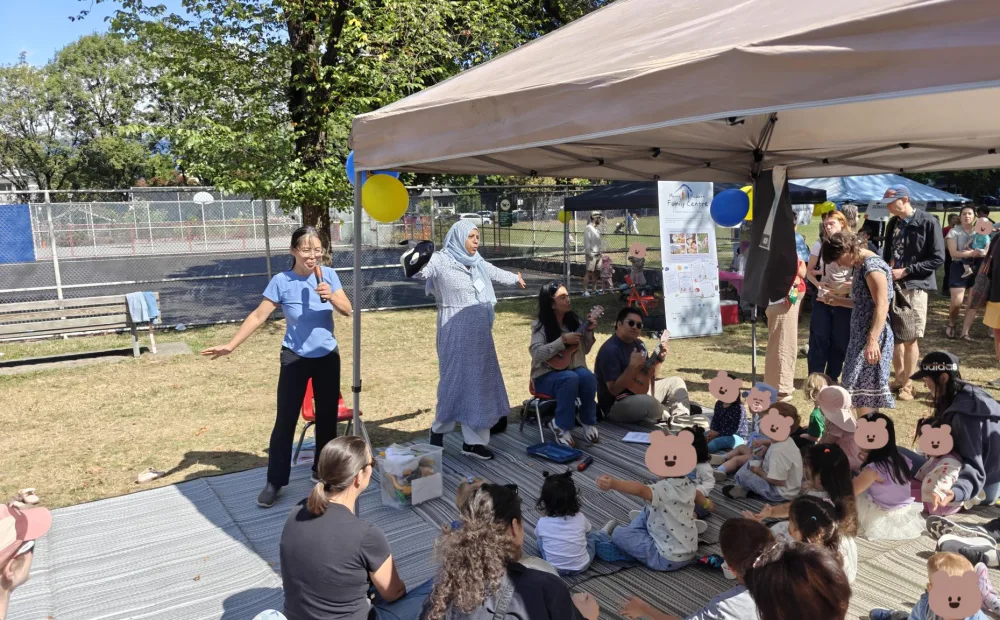
Picture a Saturday morning dads' drop-in. Dads and their kids arrive, pay at the front desk, sign in, and head into the gym. It is simple and familiar. The catch is that staff only find out how many families are coming once they are already walking through the door.
Most weeks that works fine. But when a session is more popular than expected, the room gets crowded, the volunteers are stretched, and at worst someone has to tell a dad and his toddler that there is no space today. When a session is quieter than expected, you may have booked more staff or a bigger room than you needed.
Capacity planning means knowing roughly how many people a session will serve before it happens, so you can set up the right space, staff, and supplies. Paper sign-in sheets and pay-at-the-door systems only tell you afterwards. Online booking moves that information earlier.
How program booking works
Program booking in OpenCommunity lets participants see upcoming sessions online, reserve a spot for a specific date and time, and pay ahead of time. They can pay for a single session or for a whole series, such as three months of a weekly program. When they arrive, they sign in as usual and no payment is needed at the door.
Here is how that looks for the dads' drop-in:
A dad looks up the drop-in on your centre's booking page and sees the upcoming Saturday times.
He books a spot for next Saturday at 10:00, or buys a three-month series so he does not have to book every week.
He pays online once, for the session or the series.
On Saturday he signs in at the front desk or kiosk like any other participant. Because he has already paid, there is nothing to collect.
Staff see the booking and the sign-in connected to the same participant record, so attendance is recorded without extra steps.
The same approach works well beyond parenting programs: an English conversation circle with limited seats, a seniors' lunch where the kitchen needs a headcount, a youth cooking workshop with a set number of stations, or a one-time family event. If you are still moving away from paper, our guide on how to replace paper sign-in sheets covers the first steps.
What bookings tell you in advance
Once people book ahead, every session has a number attached to it before it starts. Over a few weeks, patterns begin to show. Useful questions to ask include:
Which sessions fill up every time? A Saturday 10:00 slot that is full three weeks running is telling you something about demand.
Which sessions stay light? A quieter weekday slot might need a different time, more outreach, or a smaller room.
How far ahead do people book? If a session is full a week out, you have time to respond. If it fills the night before, you may not.
How many people choose a series? Strong series uptake suggests a committed group who will likely return, which helps with longer-term planning.
Is a special event filling faster than expected? Early bookings for a one-time event are your best warning that it may run out of room.
None of these questions need complex analysis. They come from looking at the booking numbers your team already has, a little earlier than you would otherwise see them.
When to add a second session
Imagine your centre is hosting a family holiday craft afternoon with room for 40 people. Two weeks before the event, 38 spots are booked. Without booking, you might not know until the day, when families arrive to find a packed room or no space at all.
With two weeks of notice, you have real options. You can add a second session earlier or later that afternoon, move to a larger space, or bring in extra volunteers. Families who would have been turned away get a spot, and if the event has a fee, you are not losing that income because the first session sold out.
A simple way to decide whether a second session makes sense:
Check how full the session is and how much time is left before it happens.
Look at similar past sessions to see how many bookings usually arrive in the final days.
Confirm you have a room, staff or volunteers, and supplies for another time slot.
Open the second session and let people who could not book know it is available.
Afterwards, compare attendance at both sessions to decide whether the extra slot should become a regular part of the program.
Tip: For recurring programs, one full week is not a trend. Wait until a session fills repeatedly before adding a permanent new time slot.
Bookings are not the same as attendance
A booking shows that someone intends to come. A sign-in shows that they actually came. The gap between the two matters for planning. A dad with a three-month series may miss a Saturday when his child is sick, and some people who book a free session will not show up at all.
Before you add sessions or change room sizes, compare booked spots with actual sign-ins over several weeks. If a session is always fully booked but usually only three quarters full in the room, you may be able to allow a few more bookings rather than add a new time. Our article on registration vs attendance explains this distinction in more detail.
The same care applies to reporting. Booked spots, total visits, and individual people are different numbers. See unique participants vs total visits for how to count each one, and how to report program attendance to funders for how they fit into a report.
Keep the door open for everyone
Online booking should make planning easier, not make it harder for someone to join. Not everyone has a credit card, a reliable phone, or the confidence to book online, and some people only find out about a program when they walk past the centre.
Consider keeping a few spots in popular drop-ins for people who arrive without booking.
Make sure staff or volunteers can help someone book in person if they need it.
Decide how your centre will handle fee subsidies or other ways to pay, so cost is not a barrier to booking.
Explain clearly what happens if someone needs to cancel or misses a session in their series.
Our guides on supporting participants with limited digital access and welcoming newcomers into community programs have more practical ideas. When setting up a booking form, ask only for the details you need to run the program. What participant information should you collect? can help you decide.
Note: This article is general information only and is not legal, financial, or professional advice. For questions about your organization's obligations, consult a qualified professional or the relevant government resource (for example, the CRA for registered charity matters, or your provincial or territorial registry for nonprofit governance).
Frequently asked questions
What is the difference between a drop-in and a booked program?
Do participants who bought a series need to pay when they sign in?
How do I know when to add another session?
Can people still show up without booking?
What should we do about people who book but do not come?
Trying to make your centre run more smoothly?
OpenCommunity helps neighbourhood houses and family centres manage sign-in, programs, and attendance in one place.
Note: This article is general information only, not legal or professional advice.